

Most people shop online without ever thinking about discount codes – not because they wouldn’t use one, but because hunting for them at the checkout feels like more effort than it’s worth.
The reality is that coupons exist for thousands of retailers across almost every category, and the majority go unclaimed simply because shoppers don’t know where to look – or don’t have the time to bother. This is the gap that Coupert was built to close.
Coupert is a free browser extension used by more than eight million people worldwide. When you reach the checkout on any of the 200,000-plus stores it covers, it automatically tests every available coupon code in the background and applies the one that saves you the most. There’s nothing to install beyond the extension itself, no codes to search for, and no extra steps at checkout.
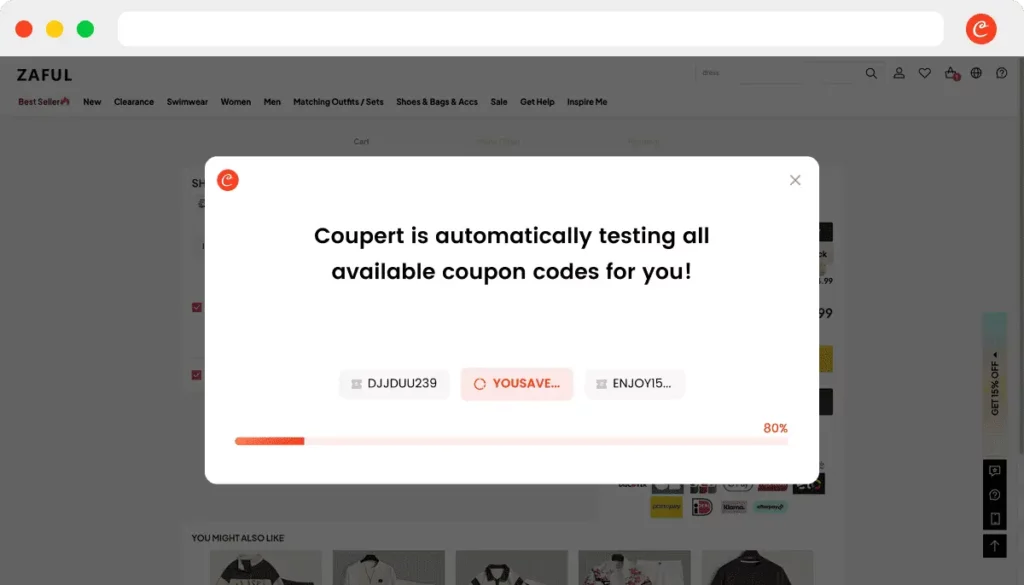
Automatically compare prices
The price comparison feature works while you browse rather than just at the checkout. Open a product page on Currys, for instance, and a Coupert window appears alongside it showing the same item on other retailers – and the price difference between them. Clicking on a TV and finding it’s £100 cheaper on another site is the sort of discovery that makes you wonder how many times you’ve paid over the odds without knowing it.
Coupert also shows a price history for each item, so if something was significantly cheaper a few weeks ago, that’s visible before you commit rather than after. For anyone who has ever bought something and immediately seen the price drop, it’s a useful habit to get into.
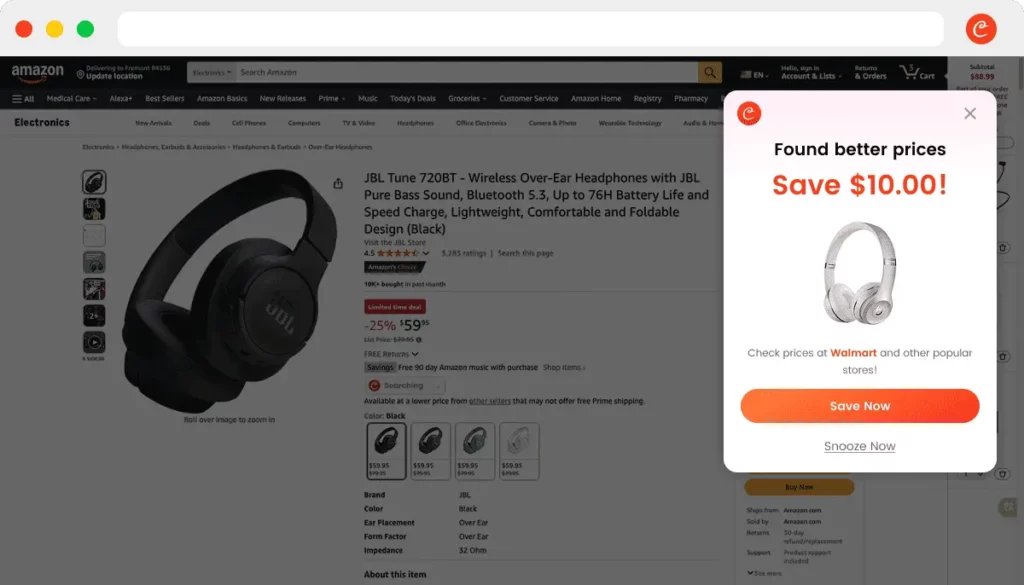
Cashback and more
Cashback adds another layer to the savings on offer. On eligible orders, payouts typically arrive within three to 15 days – faster than many comparable tools. It works across a wide range of retailers and is applied automatically, in the same way as the coupon feature, so there’s nothing extra to activate.
For anyone who wants some reassurance before installing, there’s the Max-Savings Guarantee: if Coupert’s automatic coupons don’t manage to save you money across three separate orders, you qualify for a small cash reward. Terms apply, but it’s a reasonable indication of confidence in what the product actually does – and for a free extension, it’s a low-risk thing to test for yourself.
Whether you shop occasionally or constantly, the extension costs nothing and takes about 30 seconds to add to your browser.
Installing Coupert
Getting started with Coupert takes about 30 seconds. It’s available as a browser extension on Chrome, Safari and Firefox – just search for it in your browser’s extension store or head directly to the Coupert website, click install, and it’s done.
There’s no account required to get started, no settings to configure, and nothing to activate. Once it’s in your browser, it runs in the background and kicks in automatically whenever you land on a supported retailer.
If you tend to shop on your phone, the iOS and Android apps work in the same way. Open a product page in the Coupert app’s browser and the price comparison and cashback features are right there alongside it, without any extra steps.
For Chrome users, Coupert is also available directly via the Chrome Web Store.
Whether you’re buying tech, clothing, homeware or anything in between, Coupert covers more than 200,000 stores globally – so wherever you tend to shop, the chances are it’s already coverered.